Best Team Communication Software in 2026
13 October 2026
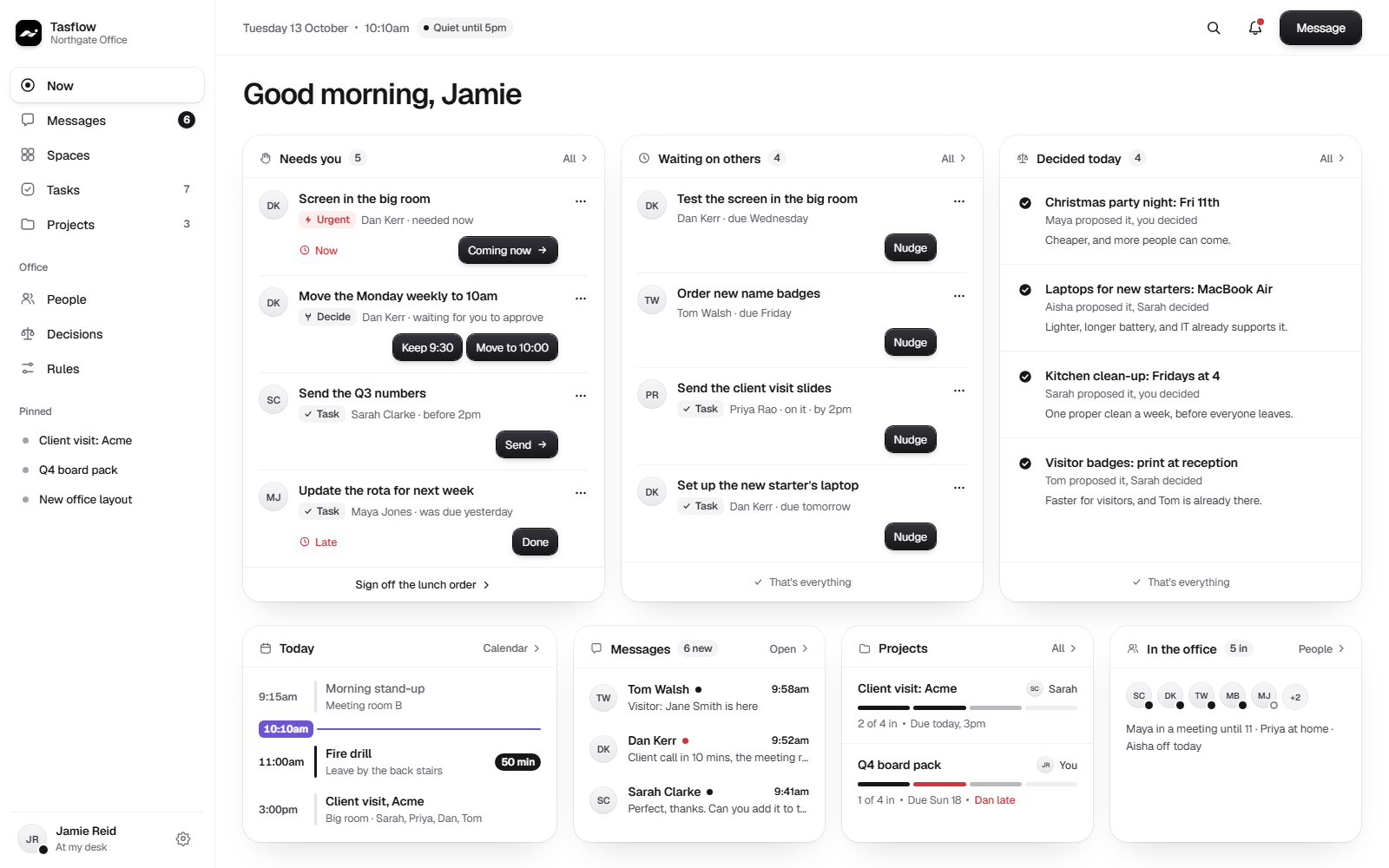
Most teams do not have a communication problem. They have too many places where communication happens, and no clear record of what was agreed once the conversation ends. Choosing team communication software in 2026 is less about finding one more chat window and more about deciding how conversation turns into work that actually gets done.
What teams need from communication software
Strip away the feature lists and three needs come up again and again.
Messaging
Fast, searchable conversation, one to one and in groups, with the option to include people outside the company. Messaging is where questions get asked and decisions get made. Good messaging keeps its history, so nobody has to ask the same question twice.
File sharing
Colleagues pass documents, images and drafts around all day. The need is simple: files should be easy to share, easy to find later, and clearly tied to the conversation or the piece of work they belong to. A file that lives in a pile somewhere is as good as lost.
Task tracking
Conversation produces commitments. "I will send that over." "Can you approve this by Friday?" Task tracking is how those commitments get written down, given a due date and followed through. Without it, good intentions sit in a message thread and quietly expire.
Where communication tools fall short
Messaging and file sharing tools are built for flow. They are good at getting information to people quickly. They are not built to answer the questions that matter once the message has been read. Who is responsible for this? When is it due? Was it done? A request made in a busy thread is easy to miss, easy to forget and hard to prove later.
Ownership is what ties it together
Messaging, files and tasks only work as a system when every piece of work has one clear owner. Ownership turns a message into a commitment, a file into a deliverable and a task into something with a name against it. When ownership is missing, everyone assumes someone else has it. When it is clear, the conversation stays a conversation and the work keeps moving.
Every piece of work should answer three questions:
- Who owns it?
- When is it due?
- Where is the record that it was done?
Tasflow: the accountable layer on top of communication tools
Think of Tasflow as the accountable layer on top of your communication tools. It includes the messaging teams expect, with one-to-ones, group messages and external messaging, but its job is what happens next.
Tasks and projects give every piece of work a named owner and a due time. The accountability log records who did what and when. Handovers pass work between people and shifts cleanly, so nothing is dropped when someone is away. Permissions control who can see and change what. The conversation and the commitment stay together, and ownership is always visible.
How to choose team communication software in 2026
Ask these questions of any tool you are considering:
- Can people message one to one and in groups, inside and outside the team?
- Can files be shared and found again later?
- Does every request become a task with one named owner and a due time?
- Is there a record of who did what, and when?
- Does work hand over cleanly when people are away?
The best team communication software in 2026 is the setup where talking leads to doing, and doing is visible. Choose tools for conversation, then make sure there is an accountable layer on top. That is the gap Tasflow is built to close.
See how it works for founders or for office teams.